


Trade Capture & Booking
Capture, standardise and book trades from chat, email and voice, without manual re-keying.


TRUSTED BY GLOBAL FINANCIAL INSTITUTIONS





Book trades fast and accurately, without manual re-keying
Rapid deployment, immediate returns.
Powered by real-time data sharing, trade capture and booking is a core use case enabled by chat-based workflow automation for trading.

Better accuracy
AI pre-populates every ticket and a trader reviews it, so errors are caught before booking.

Time saved
Faster, accurate booking reduces trading risk and the chance of fines.

Greater oversight
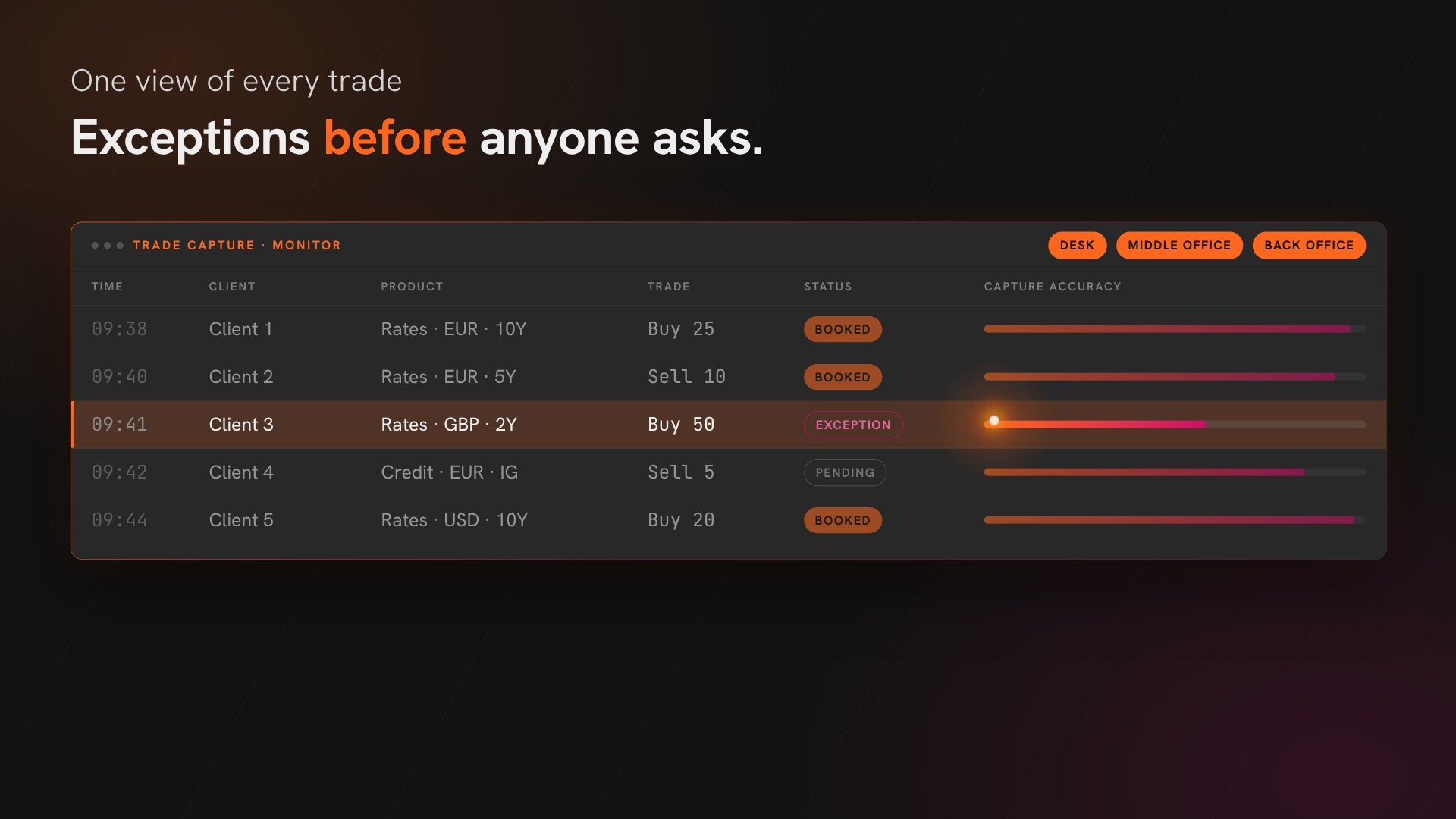
One dashboard of every trade and exception for the desk, middle and back office.
How trade capture and booking works
Capture, standardise and book trades from chat, email and voice.
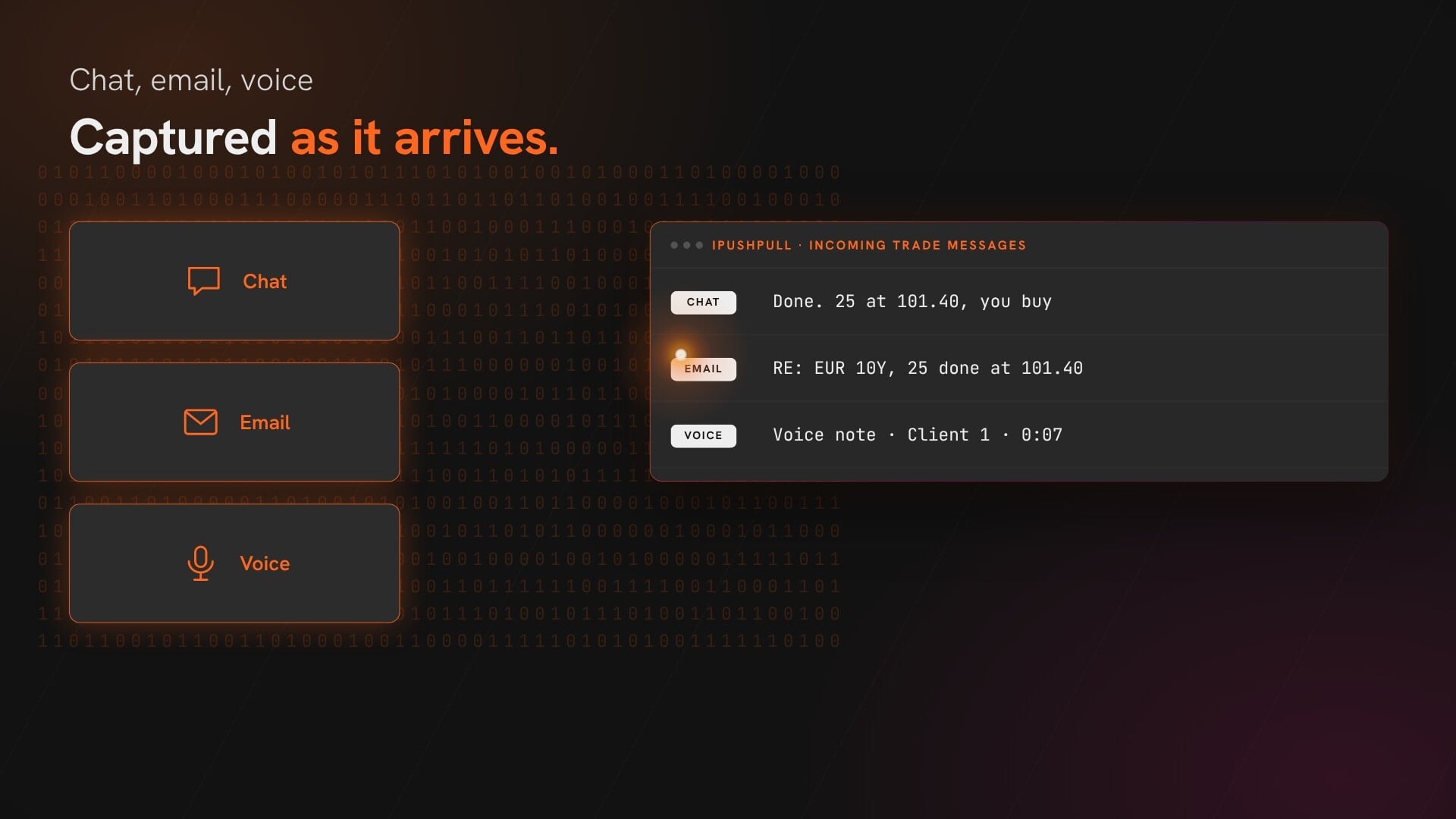
 Capture trade messages from chat, email and voice as they arrive
Track every trade and exception in one dashboard for the desk, middle and back office
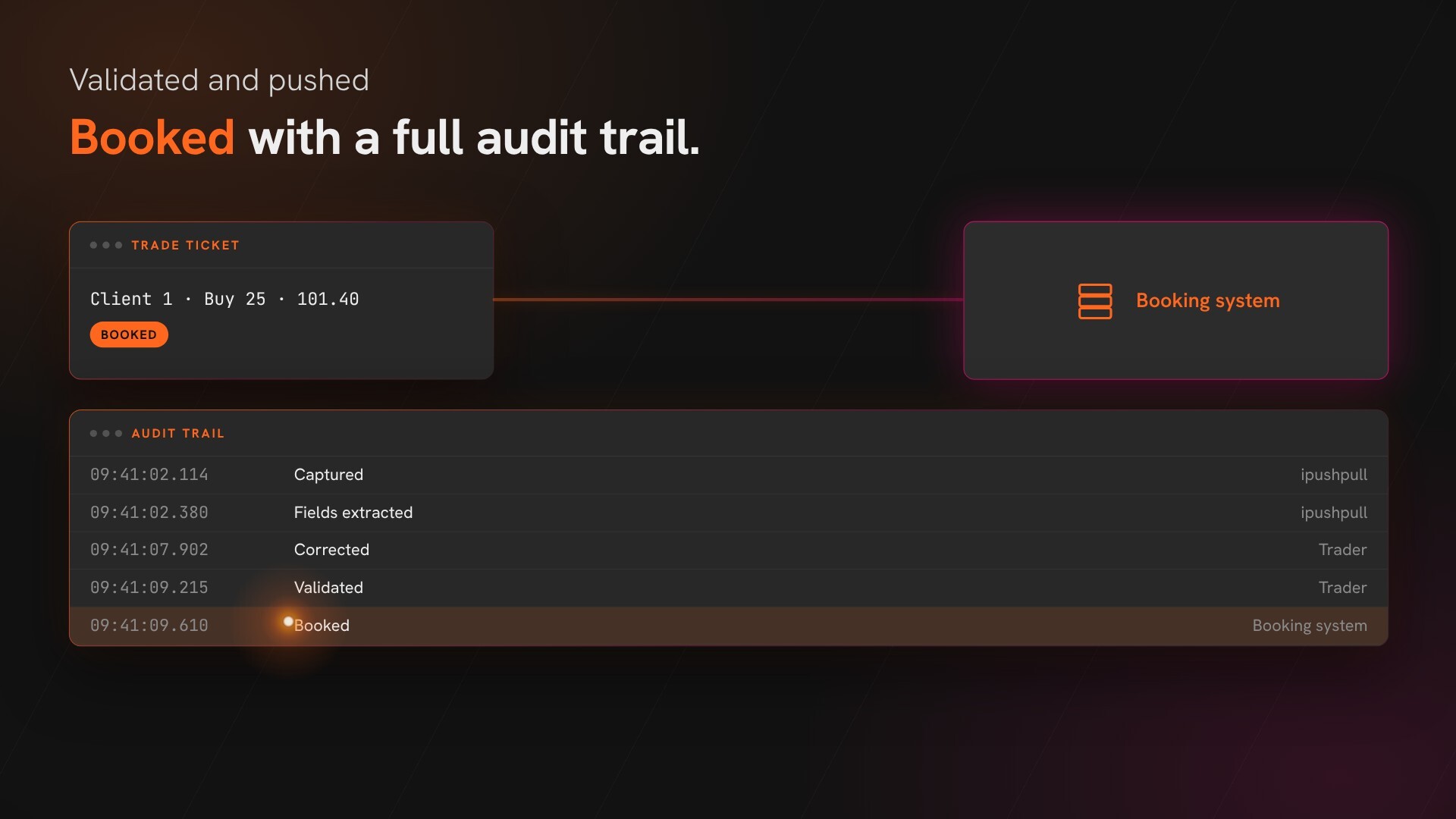
Review, fix and book, with every step logged for audit


With our configurable platform, we can deliver AI-driven solutions in days, not months
Automate Trade Capture
Automate Trade Capture
ipushpull captures structured and unstructured trade messages from chat, email and voice as they arrive.
It reads each message, standardises it into a common format and pre-populates the trade ticket, down to the counterparty, product, venue, fees and tags.

Review & Book Trades
Review & Book Trades
A trader reviews every ticket. Anything missing or outside policy is flagged and fixed before it is booked.
Each correction is fed back, so accuracy improves on later trades as it learns your desk, your counterparties and market terminology, without lengthy configuration.
Validated trades go straight to your booking system, and every step is logged with a timestamp for audit.
Monitor & Manage
Monitor & Manage
Manage and monitor end-user and client access, analyse usage and track service KPIs.
Get Inspired



Frequently asked questions
What does trade capture and booking automation mean in practice?

It means turning a trade agreed in chat or email into a structured trade record automatically. The key terms are extracted and standardised, the trade ticket is pre-populated, a trader reviews it and the validated trade is pushed to your booking system with a complete audit trail.
Which channels can trigger trade capture?
Trade capture works from enterprise chat (Bloomberg, Symphony, Microsoft Teams, WhatsApp, Slack, Telegram, WeChat and LSEG Messenger), email and voice. Any channel that carries an agreed trade can be configured as a source.
How are exceptions handled?
If required fields are missing, inconsistent or outside policy, the ticket is flagged as an exception. The trader fixes it before the trade is booked, and each correction is fed back so accuracy improves on later trades.
How is every step audited?
Every capture, extracted field, correction, validation and booking event is logged with a timestamp and user or system provenance, giving a complete audit trail for surveillance and compliance.
How does this reduce risk compared with manual capture?
Automation removes re-keying, copy-paste and interpretation errors at the point of agreement. It also shortens the time between agreement and booking, which reduces trading risk and the chance of fines, and means downstream systems reflect true risk and positions sooner.
Which booking or back-office systems can it integrate with?
Integration is done through APIs or messaging/webhooks, so it can connect to internal booking platforms, ETRM/CTRM systems, OMS/EMS, risk systems, and reporting environments. Exact connectors depend on your stack, but the workflow is designed to map to your existing data model rather than replace it.